Send and get a few pics from the people you care about (not just the ones you already text every day)
For people who don't post or check Instagram and Facebook as often, but still want to keep in touch. Once a week, afewpics reminds your circle to send a few photos, and drafts the email right in your Gmail. No app to install.
All in email. No feed/doomscrolling. No app to download.
Get startedDuring the beta, you'll start with email and password. Google features, like building your weekly draft with photos attached, are turned on by request. Learn more.

“racing down the bleachers”
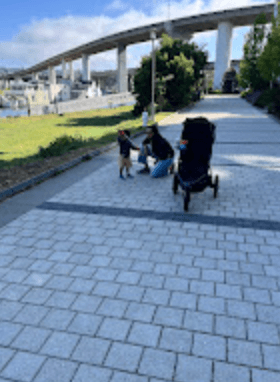
“stroller break”
No feed. No likes. No app to download.
Just a weekly email between people who already know each other.
HOW IT WORKS
- 00
SUNDAY EVENING
On Sunday, afewpics reminds you to add a few photos.
- 01
ADD YOUR PHOTOS
Drop in as many as you want, straight from your camera roll. A caption or two if you feel like it, totally optional.
- 02
AFEWPICS DRAFTS IT
afewpics builds the email right in your own Gmail, photos attached, your circle already BCC'd.
- 03
YOU HIT SEND
Read it over and send it yourself, from your own email account.
SINCE IT'S JUST EMAIL
Here's what afewpics actually does: it remembers who you'd send this to, and it rebuilds that list for you every single week, so you never have to.
ONCE, WHEN YOU SET UP
- No recalling everyone off the top of your head. afewpics suggests the people you already stay in touch with.
- It uses Google access you can see and revoke anytime.
EVERY WEEK AFTER
- No rebuilding the Bcc line or starting the email over, the small chore that makes people quietly stop after a month.
- One tap creates the draft, circle already Bcc'd, photos attached.
- You just add pictures and hit send.
WHY THIS EXISTS
WHAT I WANTED
A handful of photos from people I want to stay in touch with. What they did this week, who they saw, what made them laugh.
WHAT GOT IN THE WAY
- I stay off Instagram and Facebook so I don't end up doomscrolling, which means I miss a lot of life updates from friends/family.
- I kept forgetting to send my own back. Life is too busy to remember on your own.
QUESTIONS
- Do I need Google?
- Not during the beta. New accounts start with email and password, and each week you send your photos from your own mail app with your circle already Bcc'd. afewpics can also suggest people from your Gmail and build the weekly draft with photos attached, but until Google finishes reviewing the app, that only works for people added by hand. Email sharataka@gmail.com to be added.
- Do I need to install anything?
- No. afewpics runs in the browser and does its work inside your own Gmail. There's no app to download and nothing new to check.
- Does afewpics ever send email for me, or read my emails?
- Neither. It creates a draft (photos attached, your circle already BCC'd) and stops there. You're the one who reads it over and hits send. For suggestions, afewpics looks at who you've emailed and when, plus subject lines for a few useful patterns like a birthday mention. It never reads the body of any email.
- Who can see my photos?
- Only the people you've added to your circle. There's no public feed, no discovery, nothing indexed or shared beyond the exact people you chose.
- What if I miss a week?
- Nothing happens. You just skip it. The next reminder comes the following Sunday, same as always.
- Can I change who's in my circle later?
- Yes, anytime. Add or remove people from your circle page whenever you want.
- Are my full-resolution photos stored somewhere?
- No. Only a lightweight thumbnail is kept temporarily to build your weekly grid. The full-size files go straight into your Gmail draft, not into long-term storage.
All in email. No feed/doomscrolling. No app to download.
Get started